
Business Desktops
Reliable Desktop Computers for Work, Offices & Business
A business computer does not need to be the most powerful computer in the shop. It needs to be reliable, responsive, easy to maintain and suited to the work your employees actually do.
At Opulent Computer Systems, we help businesses choose desktop computers based on their workload, software, number of users, budget and plans for the future. Whether you are setting up a small office, replacing old computers or equipping an entire business, we can help you choose practical desktop solutions.
What Makes a Good Business Desktop?
A good business desktop should handle everyday work without constantly slowing employees down.
Depending on the workload, important considerations include:
- Processor: Choose a processor that matches the applications your employees use.
- RAM: 8GB can work for basic office tasks, while 16GB is a better starting point for heavier multitasking.
- SSD storage: An SSD helps applications start faster and makes the computer feel more responsive.
- Reliability: Business computers should be able to handle regular daily use.
- Connectivity: Consider USB ports, display outputs, Ethernet, Wi-Fi and other connections your office requires.
- Upgradeability: A desktop that can be upgraded later can provide better value as your business grows.
- Warranty and support: The purchase price is only part of the cost of owning a business computer.
What Business Desktop Should You Buy?
The answer depends on what your employees actually do.
For Basic Office Work
If employees mainly use Microsoft Word, Excel, email, web applications, printing and business software, you don’t necessarily need an expensive high-performance desktop.
A sensible configuration with a modern processor, 8GB–16GB RAM and an SSD can provide a good working environment.
For Accounting & Finance
Accountants often work with large spreadsheets, accounting software, browsers and several applications at the same time.
For this type of user, we would generally prioritize:
16GB RAM + SSD storage + a capable business-class processor.
If employees regularly work with very large Excel files or multiple demanding applications, additional RAM may be worthwhile.
For Management & Administration
Managers and administrators usually need a dependable computer for documents, email, presentations, video meetings, spreadsheets and web-based systems.
In these cases, reliability and responsiveness can be more important than having an unnecessarily powerful processor.
For Design & Other Demanding Work
Graphic design, video editing, CAD, 3D modelling and other demanding applications require more careful selection.
These users may need:
- Higher-performance processors
- More RAM
- Dedicated graphics
- Faster and larger SSD storage
- Better displays
- Greater cooling capacity
A standard office desktop should not automatically be used for demanding professional workloads.
Business Desktop vs Laptop: Which Is Better?
If employees work primarily from one location, a desktop can offer excellent value.
A desktop is often a good choice when you want:
- A larger monitor
- A permanent workstation
- Better upgradeability
- More ports and connectivity
- Lower cost for a given level of performance
- A computer that stays in the office
A laptop is generally more appropriate when employees need to move between offices, work from home, travel or attend meetings frequently.
The right choice depends on how your employees work.
Should a Small Business Buy Expensive Computers?
Not necessarily.
One of the biggest mistakes businesses make is buying the same high-specification computer for every employee.
Your accountant, receptionist, salesperson, graphic designer and manager may have completely different workloads.
Instead of giving everyone the same computer, match the specification to the job.
This can help a business control its IT budget without making employees work with computers that are too slow for their responsibilities.
How Many Computers Does Your Business Need?
When equipping an office, don’t only count the number of employees.
Consider:
- Number of employees
- Shared workstations
- Reception computers
- Accounting computers
- Management computers
- Point-of-sale systems
- Backup machines
- Future employees
- Network and printer requirements
A business IT setup should be planned as a system rather than as a collection of individual computers.
New or Refurbished Business Desktops?
Both can make sense depending on the business and budget.
A new desktop gives you newer hardware and can be preferable when you want a longer deployment cycle.
A quality refurbished business desktop can offer strong specifications at a lower purchase price and may make sense for businesses working within a tighter budget.
When buying refurbished equipment, pay attention to the seller, condition, storage health, RAM, processor generation, warranty and availability of replacement parts.
When Should a Business Replace Its Desktop Computers?
A computer does not necessarily need to be replaced simply because it is several years old.
Consider replacement when:
- It has become consistently slow
- It no longer supports important business software
- Repairs are becoming frequent
- Storage or memory cannot reasonably be upgraded
- Security or operating-system requirements are becoming a problem
- Downtime is costing the business money
- Replacement provides a meaningful productivity improvement
Sometimes an SSD or RAM upgrade can extend the useful life of an existing computer instead of replacing it completely.
Business Desktops in Nairobi
If you are equipping an office in Nairobi, don’t choose computers based only on advertised specifications.
Think about the complete setup: computers, monitors, networking, printers, power protection, software, backups and ongoing support.
Opulent Computer Systems can help businesses evaluate their requirements and choose computer equipment that fits their actual working environment.
Need Help Choosing Business Computers?
Tell us:
What does the employee do?
What software do they use?
What is your budget?
How many computers do you need?
We’ll help you work backwards from the job rather than simply recommending the most expensive computer.
Frequently Asked Questions
What is a business desktop computer?
A business desktop is a computer designed or selected primarily for professional and office workloads such as accounting, administration, management, data entry, business applications and productivity.
How much RAM does a business desktop need?
For basic office work, 8GB can be sufficient. For businesses where employees regularly multitask across spreadsheets, browsers and several applications, 16GB is generally a more comfortable choice.
Is a Core i5 good for a business desktop?
A Core i5-class processor can be more than adequate for many business workloads. The appropriate processor depends on the applications, number of tasks running simultaneously and expected lifespan of the computer.
Are refurbished business desktops worth buying?
They can be. A properly inspected refurbished business desktop can provide good value, particularly when the business needs several computers while keeping its IT budget under control.
Should every employee get the same computer?
No. Different employees have different workloads. A receptionist may need considerably less computing power than an accountant, designer, engineer or software developer.
Can a business desktop be upgraded?
Many desktop computers can be upgraded with additional RAM, SSD storage and other components. However, upgrade options vary by model, so it is important to check the specific computer before purchasing.
Where can I buy business desktop computers in Nairobi?
Businesses in Nairobi can source desktop computers from computer retailers and IT suppliers such as Opulent Computer Systems. The most important consideration is not simply price, but whether the supplier can provide the right specifications, support and after-sales service for the business.
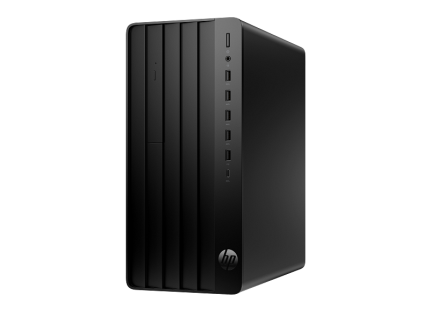
HP 290 G9 12th Gen Core i7,8gb RAM,512gb SSD, 22″ Monitor
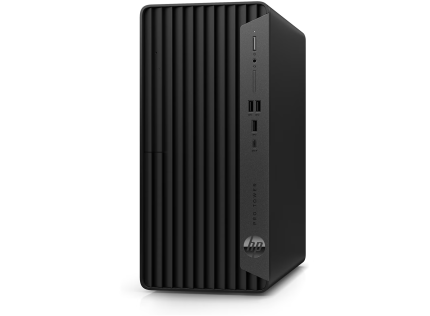
HP Pro 400 Core i5 13th gen,8 gb RAM, 512 gb SSD 22″ Monitor
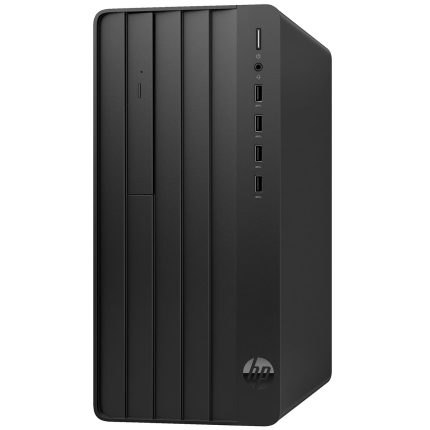
HP 290 G9 Desktop Core i5 12th Gen 8GB RAM 512GB SSD 1GB Graphics CPU Only
