
Find the right laptop for your work, studies, business or everyday life — without wasting your money.

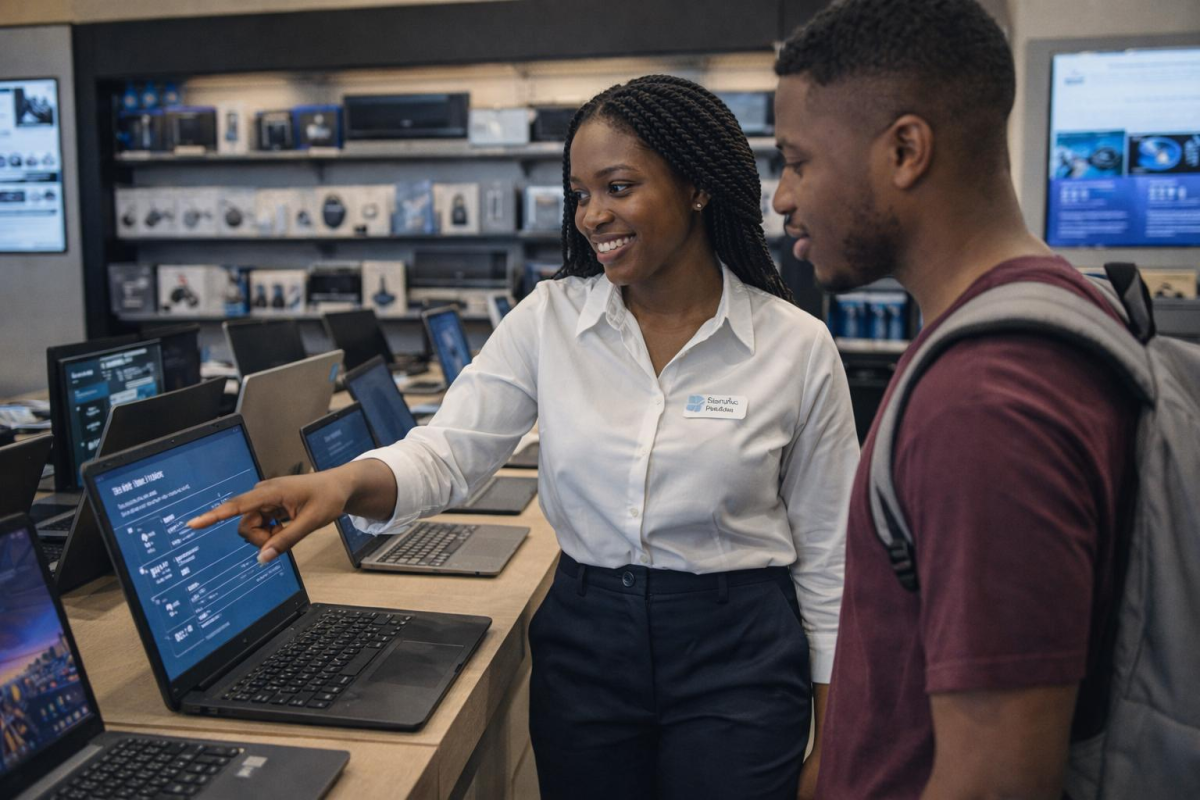

Buying a laptop in Kenya can be exciting.
It can also be confusing.
You walk into a computer shop and hear Core i5, Core i7, Ryzen 5, 16GB RAM, 512GB SSD, X360, touchscreen, refurbished, ex-UK — and suddenly you’re wondering whether you are choosing a computer or sitting an IT exam.
The truth is, you don’t need to be a computer expert to buy the right laptop.
You need to understand what you want the laptop to do, how much you can comfortably spend, and which specifications actually matter for your work.
At Opulent Computer Systems, our approach is simple:
We don’t believe you should buy the most expensive laptop you can afford. We believe you should buy the right laptop for what you need to accomplish.
Whether you’re a student buying your first university laptop, a professional upgrading your work computer, a parent purchasing a laptop for your child, a business owner equipping your team, or a creative professional looking for more performance, this guide will help you make a better decision.
Choosing a Laptop Is Really About Choosing a Tool

A laptop is rarely just another electronic device.
For a student, it could be the tool used to complete assignments, attend online classes and learn new skills.
For a business owner, it could contain customer information, accounts, proposals and years of work.
For a freelancer, it may literally be the tool that generates income.
For a professional, it may be the computer they spend eight hours using every day.
That is why the cheapest laptop is not necessarily the best deal.
The best laptop is the one that performs the work you need, within a budget that makes sense for you.
What Is the Best Laptop in Kenya?

There is no single laptop that is best for everyone.
The best laptop for a university student may not be the best laptop for an engineer.
The best laptop for an accountant may not be suitable for a video editor.
And the best laptop for gaming may be completely unnecessary for someone who spends their day using Word, Excel, email and a browser.
Instead of asking:
“Which laptop is the best?”
Ask:
“Which laptop is best for what I need to do?”
That question immediately makes your buying decision easier.
Laptops for Different Users in Kenya
Student Laptops

Students often need a balance between price, performance, portability and battery life.
A student studying business, education or humanities may primarily need:
- Microsoft Word
- Excel
- PowerPoint
- Browsing
- Research
- Online classes
- Video conferencing
But an engineering, architecture, computer science or media student may require considerably more processing power and graphics capability.
Before buying a laptop for university, ask:
What course is the student taking?
Which software will they use?
Will they carry the laptop around every day?
How much storage will they need?
If you’re looking specifically for student machines, we’ll connect this page to our future Student Laptops in Kenya guide.
Business Laptops

Business users usually need reliability more than flashy specifications.
A good business laptop should comfortably handle tasks such as:
- Microsoft Office
- Accounting software
- Web applications
- Video meetings
- Customer management systems
- Presentations
- Business documents
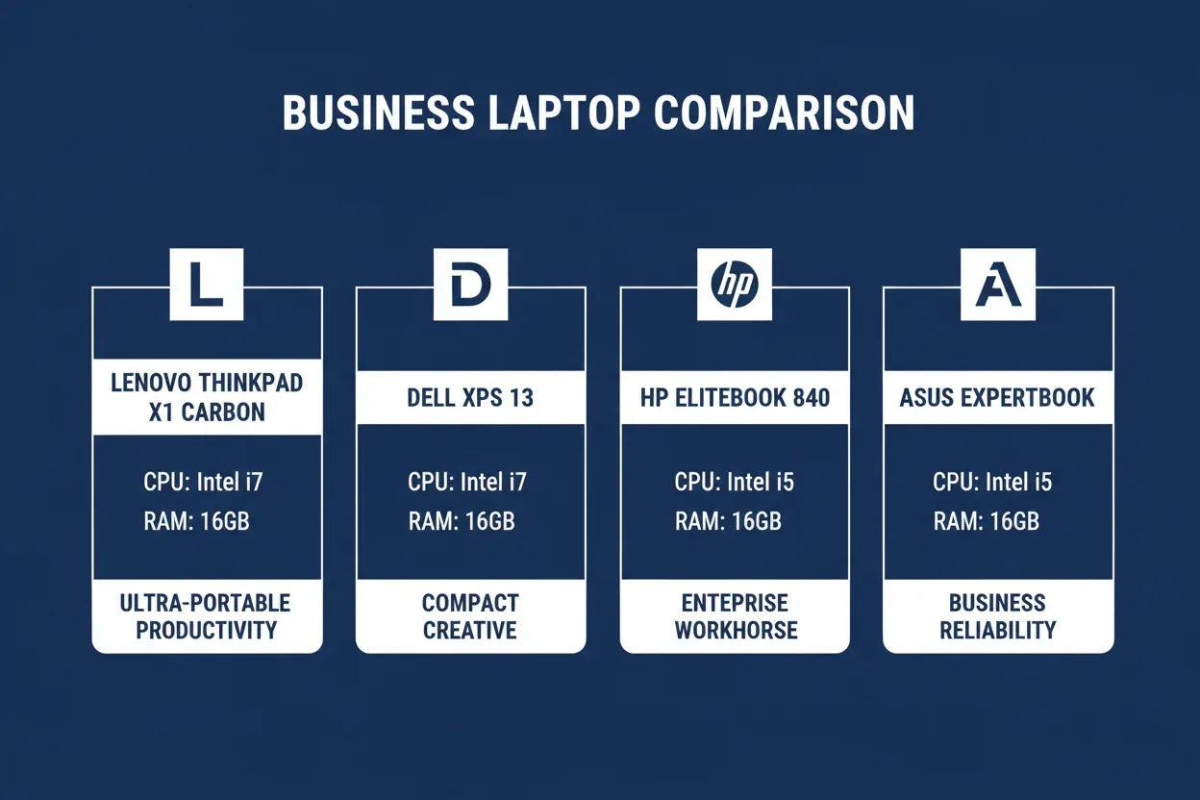
Business-class families such as HP EliteBook, Dell Latitude and Lenovo ThinkPad are popular because they are designed with professional use in mind.
The important thing isn’t simply buying a laptop labelled “business.”
It’s finding the right configuration for your workload.
Gaming Laptops

Gaming laptops are built for demanding workloads.
Depending on the games and applications involved, you may need:
- A powerful CPU
- Dedicated graphics
- Adequate VRAM
- 16GB or more RAM
- Fast SSD storage
- High-refresh-rate display
- Effective cooling
Gaming laptops can also be useful for demanding creative and technical applications.
But if your main activities are browsing, documents and email, you may be paying for performance you don’t need.
Buy performance because your work requires it — not because the laptop looks impressive.
Laptops for Engineering, Architecture and Creative Work

This is where choosing a laptop requires more care.
Applications such as AutoCAD, Revit, SolidWorks, Adobe applications and 3D software can have substantially different requirements.
Before buying, identify the specific software and version you intend to use.
For example, Autodesk publishes official system requirements for its software, which is a much better starting point than relying on a salesperson’s claim that “Core i7 is enough.”
Autodesk official system requirements
Popular Laptop Brands in Kenya
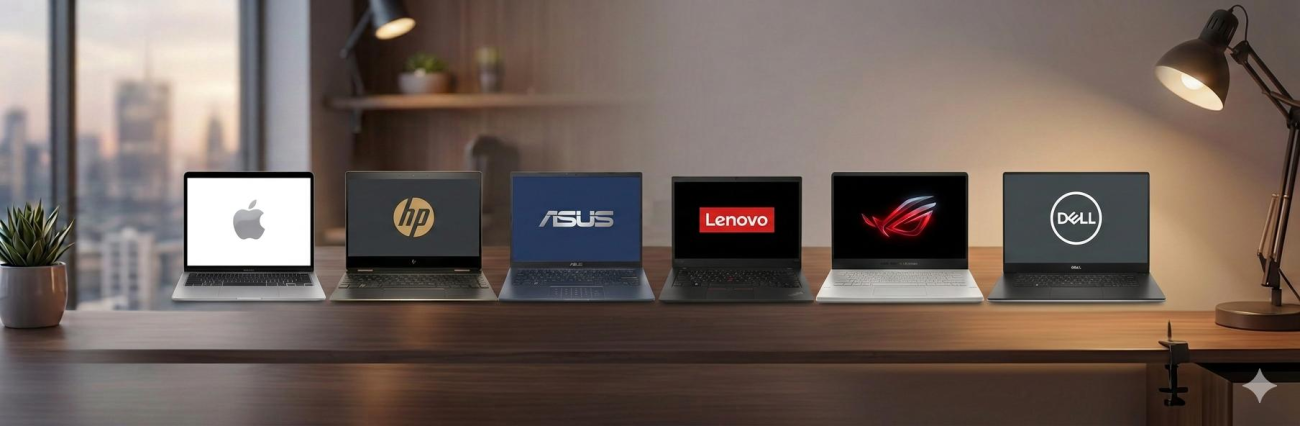
Kenyan buyers commonly encounter brands such as:
But don’t make the mistake of asking:
“Which brand is the best?”
A better question is:
“Which model and configuration are best for my needs?”
For example, a Dell Latitude, HP EliteBook and Lenovo ThinkPad may all be excellent choices for professional use, but their features, design and configurations can differ significantly.
We’ll build dedicated Opulent pages for the major brands and link them together from this pillar page.
HP Laptops in Kenya
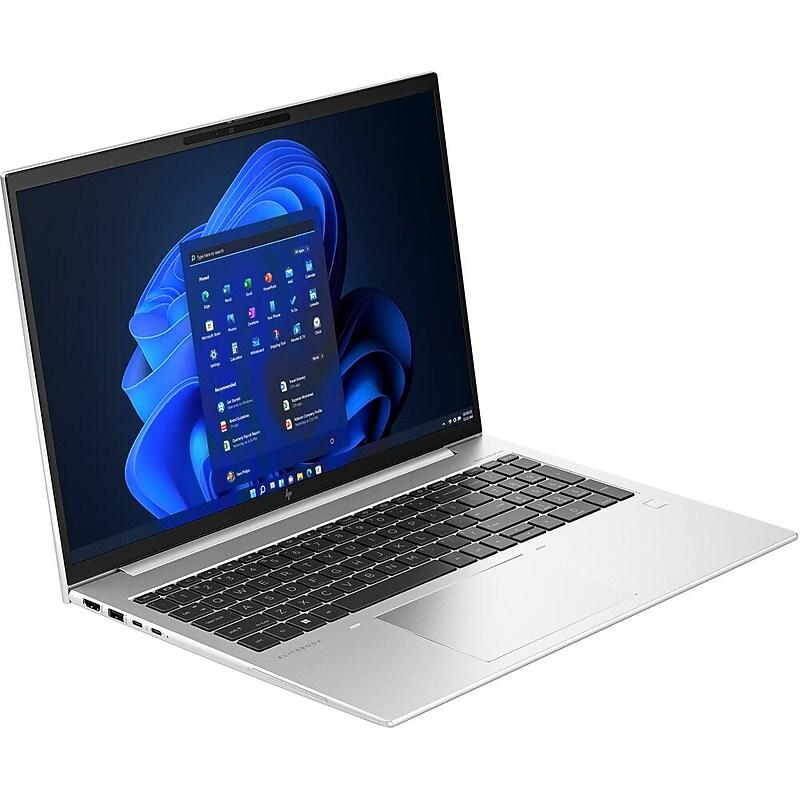
HP has a broad range of laptops covering students, professionals, businesses and demanding technical users.
Common families include:
- HP EliteBook
- HP ProBook
- HP ZBook
- HP Pavilion
- HP Spectre
The EliteBook family is particularly popular among business and professional users, while ZBook machines are designed for demanding professional workloads.
Internal link: → HP Laptops in Kenya
Dell Laptops in Kenya

Dell offers several laptop families designed around different users.
These include:
- Dell Latitude
- Dell Inspiron
- Dell XPS
- Dell Precision
Latitude models are particularly common in professional and business environments, while Precision systems target demanding professional workloads.
Internal link: → Dell Laptops in Kenya
Lenovo Laptops in Kenya

Lenovo has become particularly well known for its ThinkPad business laptops.
Other families include:
- ThinkPad
- ThinkBook
- Yoga
- IdeaPad
- Legion
ThinkPads are particularly attractive to professionals who value keyboards, durability and business-oriented design.
Internal link: → Lenovo Laptops in Kenya
MacBooks in Kenya

MacBooks appeal to users who value Apple’s hardware, operating system and ecosystem.
The decision to buy a MacBook should consider:
- Your software requirements
- Compatibility
- Battery expectations
- Performance
- Storage
- Your existing Apple devices
- Budget
For example, someone already using an iPhone may value integration with the Apple ecosystem.
Internal link: → MacBooks in Kenya
How Much Does a Laptop Cost in Kenya?

5
Laptop prices in Kenya vary according to:
- Brand
- Model
- Processor
- Processor generation
- RAM
- SSD
- Graphics
- Display
- Condition
- Warranty
- Availability
As a general planning guide, buyers may encounter laptops across ranges such as:
| Approximate budget | Typical use |
|---|---|
| Under KSh 30,000 | Basic computing and everyday tasks |
| KSh 30,000–50,000 | Students, office work and general productivity |
| KSh 50,000–80,000 | Professional and higher-performance workloads |
| KSh 80,000–120,000+ | Premium, gaming and demanding work |
| KSh 120,000+ | High-performance and premium systems |
These are planning ranges, not fixed market prices. Actual prices depend on the individual model, configuration, condition and availability.
Our dedicated Laptop Prices in Kenya page will go deeper into this subject.
Should You Buy a New or Refurbished Laptop?
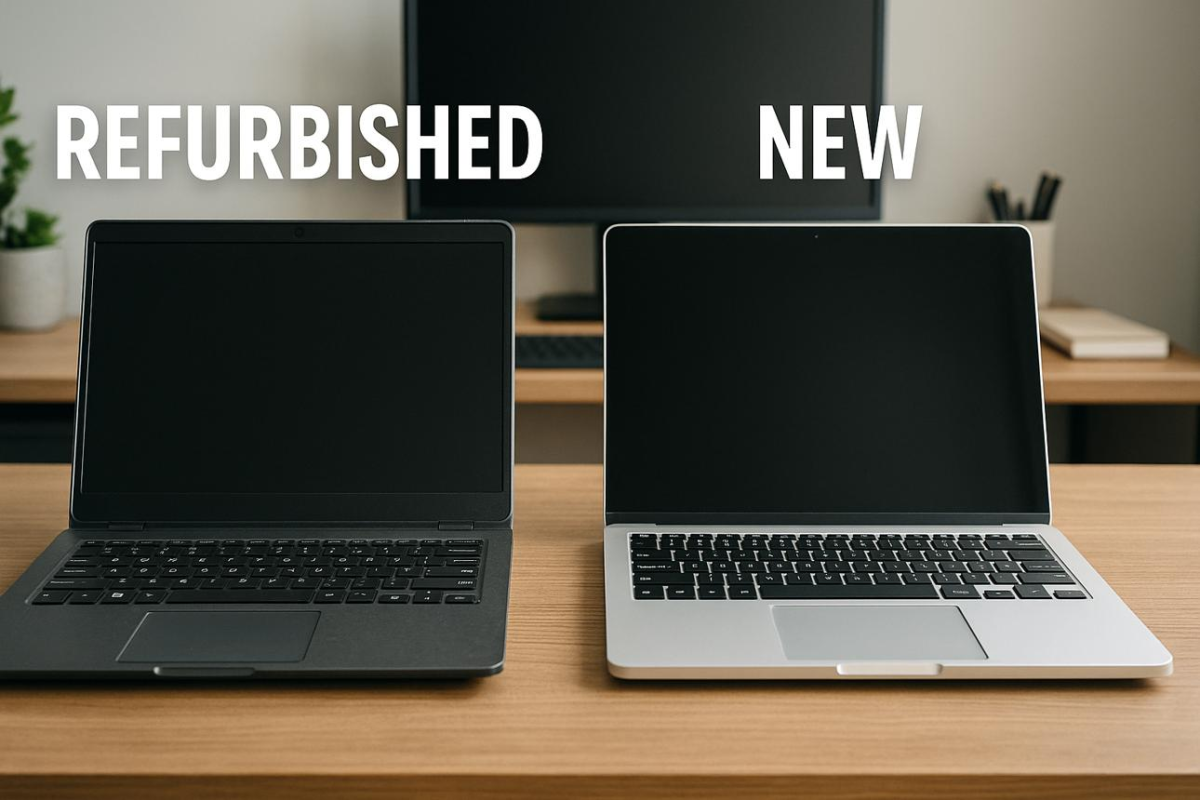
This is one of the most important decisions in the Kenyan laptop market.
Brand-New Laptops
You are generally paying for:
- New hardware
- New battery
- Current-generation models
- Manufacturer warranty
- New physical condition
Refurbished or Ex-UK Laptops
A properly inspected refurbished or ex-UK business laptop can provide excellent value.
For example, a buyer may be able to access a higher-quality business machine for less money than a comparable new laptop.
But condition matters.
Before buying refurbished, check:
- Battery health
- Screen
- Keyboard
- Touchpad
- Storage
- Ports
- Charger
- Physical condition
- Warranty
Our future Refurbished Laptops in Kenya page will explain this in much greater detail.
Understanding Laptop Specifications


You don’t have to become an engineer to understand laptop specifications.
Start with these five.
1. Processor — The Brain of the Laptop


You may encounter:
- Intel Core
- Intel Core Ultra
- AMD Ryzen
- Apple Silicon
But don’t assume that a Core i7 is automatically better than every Core i5.
The exact processor model, generation and design matter.
Intel provides official information about its processor families:
AMD provides information about its Ryzen laptop processors:
2. RAM — How Much Multitasking Can You Do?


For many everyday users:
8GB can be enough for basic productivity.
16GB is a stronger choice for multitasking, programming and many professional workloads.
32GB+ can be useful for demanding creative, technical and development workloads.
But don’t simply buy the highest RAM configuration available.
Match RAM to your actual workload.
3. SSD — Fast Storage Matters


Modern laptops commonly use SSD storage.
Common capacities include:
- 256GB
- 512GB
- 1TB
- 2TB
For many students and professionals, 512GB is a comfortable starting point.
If you store large video projects, engineering files or large datasets, you may need more.
4. Display — The Screen You Look At Every Day

The display is easy to overlook when buying a laptop.
Don’t.
Consider:
- Screen size
- Resolution
- Brightness
- Colour accuracy
- Refresh rate
- Touch capability
- Panel quality
A designer may care about colour accuracy.
A gamer may care about refresh rate.
A professional who spends eight hours reading documents may prioritize comfortable viewing.
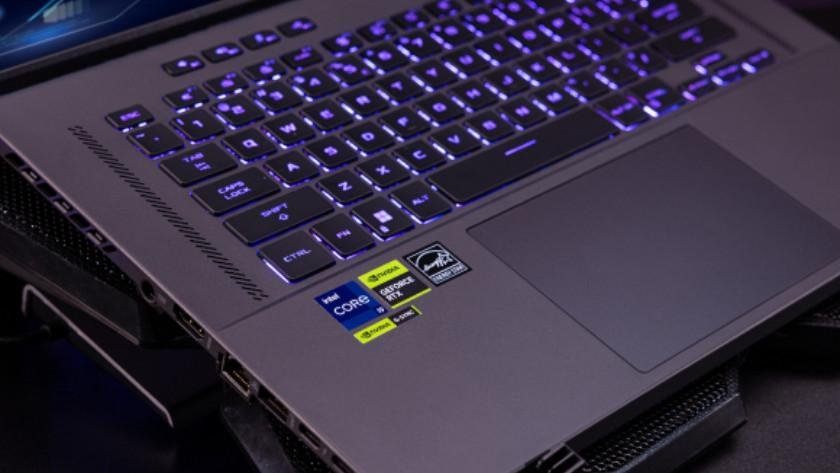
5. Graphics — Do You Need a Dedicated GPU?
6
Integrated graphics are sufficient for many users.
Dedicated graphics become more important for:
- Gaming
- 3D modelling
- Rendering
- Video editing
- CAD
- Some engineering applications
If your work doesn’t require dedicated graphics, you may be able to spend your budget more intelligently elsewhere.
How Much RAM Do You Really Need?
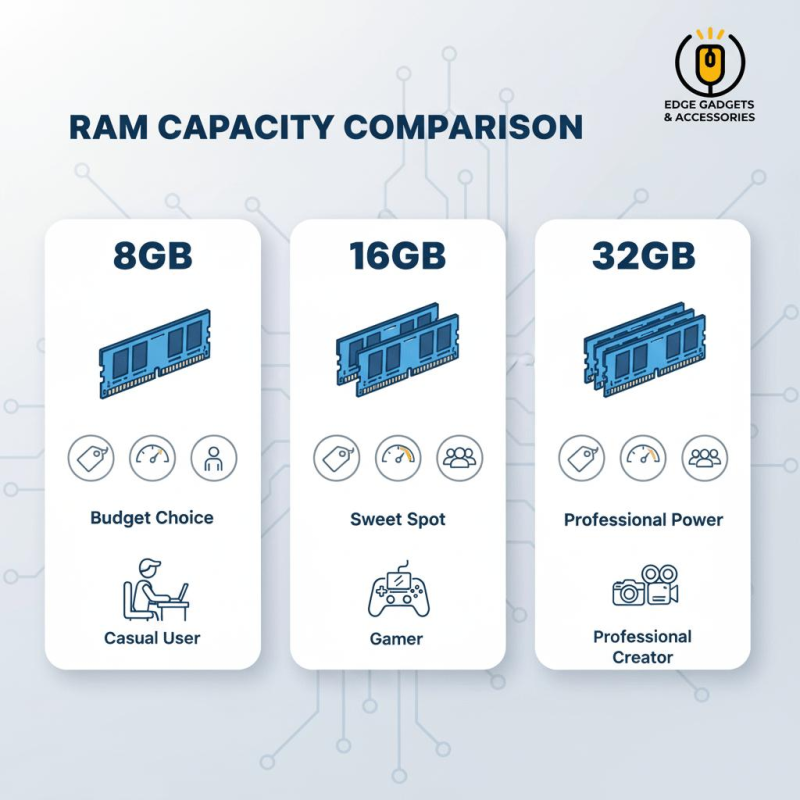


A simple guide:
8GB
Good for many:
- Students
- Office users
- Browsing
- Research
- Basic productivity
16GB
A better choice for:
- Programming
- Heavy multitasking
- Professional work
- Creative applications
- Engineering applications
32GB+
Consider it for:
- Advanced video editing
- 3D work
- Large development environments
- Professional engineering applications
- Other memory-intensive workloads
Laptop Battery Life Matters More Than You Think
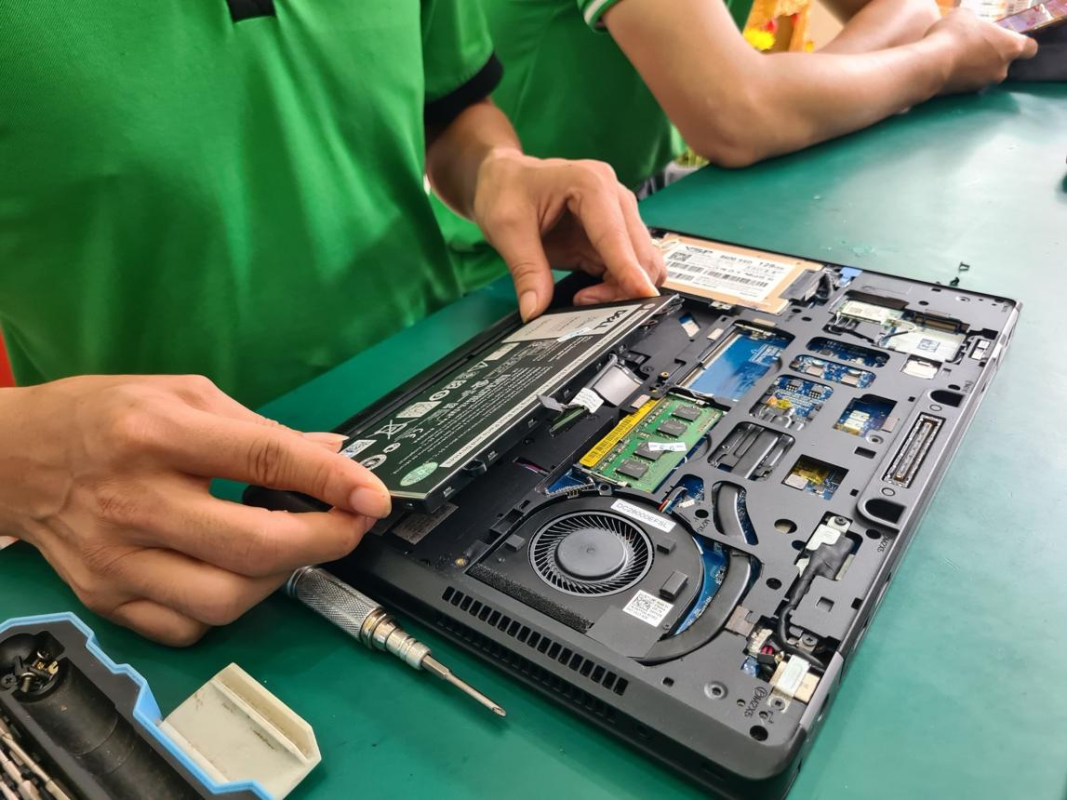
Imagine buying a laptop because it is powerful, only to discover that the battery barely lasts through a university lecture.
Or you’re travelling between meetings and constantly searching for a power socket.
For mobile users, battery life matters.
If you’re buying refurbished, ask about battery health, not merely whether the battery works.
What Should You Check Before Buying a Laptop?

Before paying for a laptop, especially a refurbished one, check:
☐ Exact model
☐ Processor and generation
☐ RAM
☐ SSD capacity
☐ Screen
☐ Keyboard
☐ Touchpad
☐ Battery
☐ Charger
☐ USB ports
☐ USB-C
☐ HDMI
☐ Webcam
☐ Speakers
☐ Wi-Fi
☐ Bluetooth
☐ Physical condition
☐ Warranty
And don’t be afraid to ask questions.
You are spending your money.
Don’t Buy a Laptop Based on One Specification
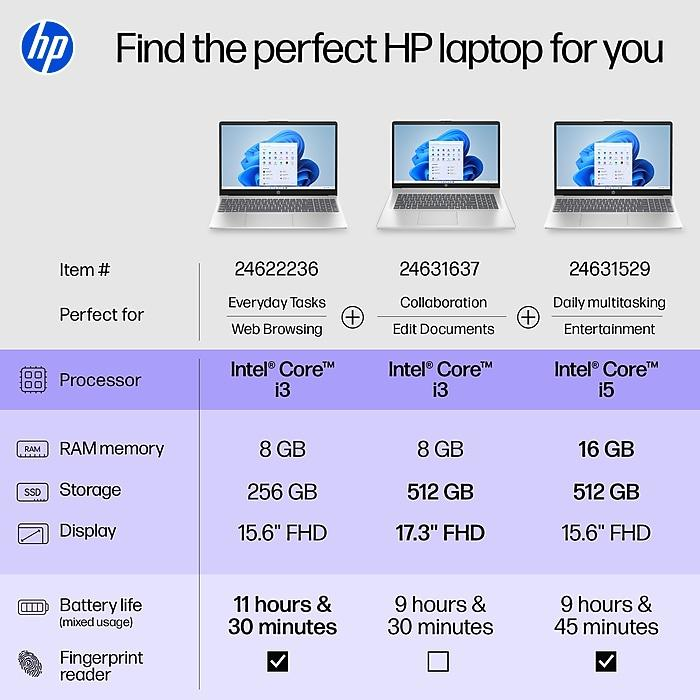
One of the most common mistakes is buying a laptop because of a single specification.
For example:
“It has Core i7.”
That’s not enough.
A good comparison considers the entire machine:
Processor + RAM + SSD + Display + Graphics + Battery + Build + Condition + Warranty
That’s how you determine value.
Buying a Laptop for Your Child

For many parents, buying a university laptop is more than another purchase.
It’s an investment in their child’s education.
You may have saved for months.
You want to make sure you buy something that won’t become a problem shortly after the semester begins.
Before purchasing, find out:
What course are they taking?
Which applications will they use?
How often will they carry the laptop?
Will they need it for four years?
Don’t let technical jargon pressure you into buying something unnecessarily expensive.
Buy for the student’s actual needs.
Buying a Laptop for Your Business

For a business, reliability matters.
A laptop may contain:
- Customer records
- Accounting information
- Sales documents
- Emails
- Contracts
- Business applications
- Sensitive files
A slightly more expensive business-class laptop can sometimes make more sense than repeatedly replacing unsuitable computers.
Your laptop is a business tool.
Choose it accordingly.
Laptop Accessories You Should Consider

Your laptop is only part of the setup.
Depending on how you work, you may also need:
- Laptop bag
- Wireless mouse
- Laptop stand
- USB-C hub
- Docking station
- External monitor
- Keyboard
- External SSD
- HDMI cable
- Laptop charger
For accessories, we can connect this pillar to the Computer Accessories in Kenya ecosystem and relevant UGREEN pages.
You can also explore computer and laptop accessories through Joo Computers’ accessories collection.
Why Buying From the Right Technology Partner Matters
The laptop itself is important.
But so is the person selling it.
You want someone who can help you understand:
- What you’re buying
- Why you need it
- What it can do
- What it cannot do
- Whether it fits your budget
- What happens if something goes wrong
At Opulent Computer Systems, our philosophy is simple:
Listen first. Recommend second.
We don’t want to sell you something you don’t need.
We want you to leave knowing why you bought it.
Opulent Computer Systems — Technology That Works for You
Opulent Computer Systems serves customers looking for computers, laptops, accessories and technology solutions in Nairobi and across Kenya.
Our locations are:
Elegant Exhibition — Shop A5
Along Moi Avenue, Nairobi CBD
Iconic Business Plaza — 4th Floor, Shop G7
Along Moi Avenue, Nairobi CBD
Need help choosing a laptop?
Call or WhatsApp: 0706 072 000
We can help you narrow down the right laptop based on:
Your budget + your work + your software + your expectations.
Explore More Laptop Guides
This page will serve as the main laptop pillar page for Opulent Computer Systems.
From here, we’ll build a connected library of detailed guides:
Laptop Prices in Kenya
Understand laptop price ranges and what you should expect at different budgets.
Student Laptops in Kenya
Find out how to choose a laptop based on your course and university requirements.
Business Laptops in Kenya
Understand what professionals and businesses should prioritize.
Refurbished Laptops in Kenya
Learn how to evaluate refurbished and ex-UK laptops before buying.
HP Laptops in Kenya
Explore HP laptop families and which users they suit.
Dell Laptops in Kenya
Understand Dell’s business, consumer and professional laptop ranges.
Lenovo Laptops in Kenya
Explore ThinkPad, Yoga, IdeaPad and other Lenovo families.
Gaming Laptops in Kenya
Understand CPUs, GPUs, cooling, displays and performance.
MacBooks in Kenya
Compare Apple’s laptop ecosystem and decide whether a MacBook suits your needs.
These pages will be internally linked back to this pillar page as they are created.
Ready to Find the Right Laptop?

You don’t need to know everything about computers before you buy one.
Tell us:
Your budget.
What you want to use the laptop for.
The software you need.
Whether you prefer new or refurbished.
We’ll help you work out what makes sense.
Call or WhatsApp Opulent Computer Systems
0706 072 000
Elegant Exhibition Shop A5 — Along Moi Avenue
Iconic Business Plaza, 4th Floor Shop G7 — Along Moi Avenue
Don’t just buy a laptop.
Buy the right laptop.
Frequently Asked Questions About Laptops in Kenya
How much does a laptop cost in Kenya?
Laptop prices vary according to the brand, model, processor, RAM, storage, graphics, display, condition and warranty. There are options for different budgets, from basic everyday laptops to premium professional and gaming machines.
Which laptop is best for students in Kenya?
The right student laptop depends on the course. General academic work may require modest specifications, while engineering, architecture, computer science and creative courses may require substantially more processing power or graphics capability.
Is a refurbished laptop worth buying?
A properly inspected refurbished laptop can offer excellent value, particularly when buying a quality business-class machine. Always check condition, battery health, specifications and warranty.
Is Core i7 better than Core i5?
Not necessarily. The exact processor model and generation matter. A newer Core i5 can be a better choice than an older Core i7 depending on the workload.
How much RAM should a laptop have?
8GB can be sufficient for many everyday tasks. 16GB is a stronger choice for heavier multitasking and many professional workloads, while 32GB or more may be appropriate for demanding applications.
What SSD size should I buy?
512GB is a practical starting point for many students and professionals. Users working with large media files, engineering projects or large datasets may need 1TB or more.
Where can I buy laptops in Kenya?
You can buy laptops from established computer retailers, online stores and authorized channels. Compare the exact specifications, condition, warranty and after-sales support rather than choosing based only on price.
Can Opulent Computer Systems help me choose a laptop?
Yes. Contact 0706 072 000 by call or WhatsApp and explain your budget and intended use. The goal is to identify a laptop that fits your actual requirements.